Save the Short you are watching, not the whole feed
- Open the individual Short, then choose Share → Copy link. A channel or the Shorts feed is not the individual video.
- Paste the copied link into the form. Check the title and thumbnail to confirm that it is the intended Short.
- Choose an available quality, then click Download. On mobile, check the browser’s downloads or Files app for the saved MP4.
Supported link shapes
URL patterns, not playable test videos. Replace the placeholders with your own identifiers.
https://www.youtube.com/shorts/VIDEO_IDhttps://youtu.be/VIDEO_ID
Vertical video: height is not the whole picture
A Short is often portrait video. Compare its frame dimensions, not just a label such as 720p: portrait and landscape frames have different proportions. The tool does not rotate, crop or sharpen a Short. Available options follow the source and the current 1080p limit.
Where to get the video link
Open the individual video and use Share → Copy link. On desktop you can also copy its watch address. For Shorts, use the link to that Short, not the channel or feed.
Supported video links
- Public watch links and youtu.be share links
- Public YouTube Shorts
- One accessible video; available MP4 options up to the current 1080p limit
Not supported in this workflow
- Full playlists or channel archives
- Sign-in, age or region access gates
- MP3-only output and 4K are not offered
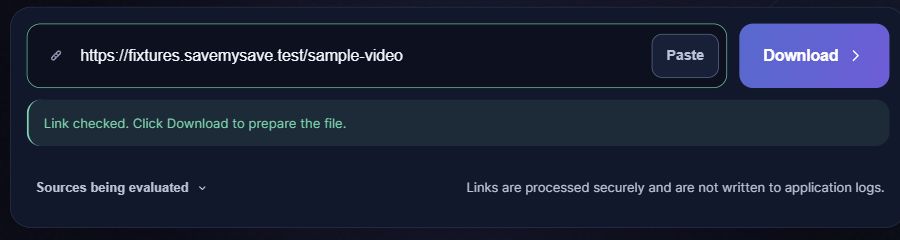
What happens after you paste a link
If the link does not work
- Check that the link opens the intended individual video, not a playlist page.
- If a format is missing, choose an available option. If preparation fails temporarily, wait and retry once; no format selector grants access to a restricted video.
Save the file on your phone or computer
Choose a quality if a choice is offered, then select Save video. When the file is ready, your browser will attempt to start the download automatically. If it does not start, select Download file. Check your browser’s downloads list for progress. On iPhone, a Safari download is usually found in Files rather than automatically added to Photos. On Android, check Downloads or your file manager. Your browser settings can change the destination.
Questions about YouTube Shorts
Does a Shorts link need to be changed into a watch link?
No. Paste the copied individual Shorts link. Do not replace the video identifier or paste the address of the feed.
Can I download all Shorts from a channel?
No. This workflow handles one accessible video at a time, not a channel archive or playlist.
Why is a short clip not instantly ready?
The source must be checked and the file prepared. Separate video and audio streams may need to be combined; short duration does not guarantee instant processing.
Where is my Short on iPhone?
Look in Safari’s downloads and the Files app. Downloading an MP4 does not automatically add it to Photos; use the device’s sharing options if you want to save a playable file there.
Will it play offline with sound?
Once a playable file is saved on your device, you can open it without this temporary result link. An audio track depends on what the source provides; check playback after saving.