How to download a YouTube video as MP4
- Copy the public watch or Shorts link to a video you own or have permission to download.
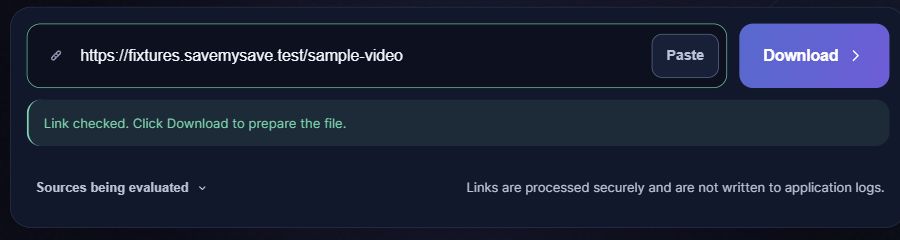
- Paste it above; the link check starts automatically. Choose an available quality, then select Save video to prepare the MP4.
- Wait for the file to be ready. Your browser will attempt to start the download automatically. If it does not start, select Download file and check your browser’s downloads list.
Supported link shapes
URL patterns, not playable test videos. Replace the placeholders with your own identifiers.
https://www.youtube.com/watch?v=VIDEO_IDhttps://www.youtube.com/shorts/VIDEO_IDhttps://youtu.be/VIDEO_ID
A codec is not a quality upgrade
H.264 and VP9 describe how video is encoded; MP4 describes the file container. Choosing VP9 does not make a low-resolution source sharper. The tool only offers formats reported as available, and a source can change between checking and downloading.
Where to get the video link
Open the individual video and use Share → Copy link. On desktop you can also copy its watch address. For Shorts, use the link to that Short, not the channel or feed.
Supported video links
- Public watch links and youtu.be share links
- Public YouTube Shorts
- One accessible video; available MP4 options up to the current 1080p limit
Not supported in this workflow
- Full playlists or channel archives
- Sign-in, age or region access gates
- MP3-only output and 4K are not offered
What happens after you paste a link
If the link does not work
- Check that the link opens the intended individual video, not a playlist page.
- If a format is missing, choose an available option. If preparation fails temporarily, wait and retry once; no format selector grants access to a restricted video.
Save the file on your phone or computer
Choose a quality if a choice is offered, then select Save video. When the file is ready, your browser will attempt to start the download automatically. If it does not start, select Download file. Check your browser’s downloads list for progress. On iPhone, a Safari download is usually found in Files rather than automatically added to Photos. On Android, check Downloads or your file manager. Your browser settings can change the destination.
Questions about YouTube
How do I download YouTube Shorts?
Paste a public Shorts link into the same form used for watch videos, choose an available format and save the result. A short video can still be unavailable or restricted; recognizing its URL does not guarantee access.
Can I download a whole playlist?
This workflow prepares one video at a time. It does not offer a playlist or channel archive.
Why does a visible video fail?
Region, age or sign-in restrictions, removal and temporary upstream failures can prevent processing. SaveMySave does not ask for YouTube account cookies or bypass access controls.
Will the saved file have sound?
For available supported video formats, the pipeline selects video and an available audio stream. Preview and play your result; not every upstream source guarantees an audio track.