Use the link to an individual X post
- Open the post with the video and copy its status link, not the account, search results or a broadcast.
- Paste an x.com or twitter.com status address. If your link includes /video/N, keep it to identify the intended video.
- Review the returned video and click Download. Multi-video posts without a usable individual selection are not saved as a partial archive.
Supported link shapes
URL patterns, not playable test videos. Replace the placeholders with your own identifiers.
https://x.com/ACCOUNT/status/POST_IDhttps://twitter.com/ACCOUNT/status/POST_IDhttps://x.com/ACCOUNT/status/POST_ID/video/1
A status link identifies a post, not an account
Twitter addresses are normalized to X while the post ID and an explicit video selector are preserved. Tracking parameters are not needed. Photo-only posts, Spaces and broadcasts are outside this video workflow; a private or sign-in-only post cannot be unlocked by changing its URL.
Where to get the video link
Open the individual X post, then copy its status address. Old twitter.com status links are accepted too. Keep /video/N when the link specifies an individual item.
Supported video links
- Public x.com and twitter.com status links
- Supported i/status and i/web/status addresses
- An individual video selector when provided by the link
Not supported in this workflow
- Account feeds and search pages
- Photo-only posts, Spaces and broadcasts
- Multi-video album archives and account-only media
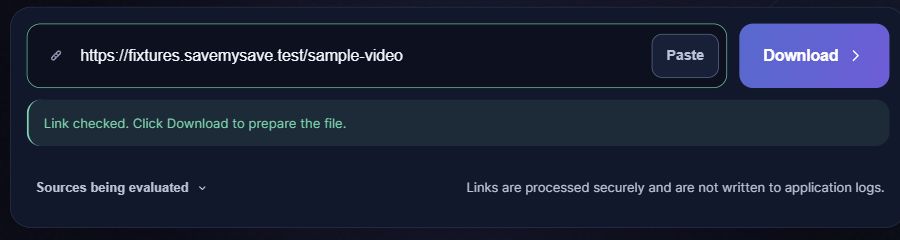
What happens after you paste a link
If the link does not work
- If you copied an account URL, return to the individual post and copy its status link.
- If the extractor returns a playlist, use a link to the individual video where available. The service does not silently download the first playlist item.
Save the file on your phone or computer
Choose a quality if a choice is offered, then select Save video. When the file is ready, your browser will attempt to start the download automatically. If it does not start, select Download file. Check your browser’s downloads list for progress. On iPhone, a Safari download is usually found in Files rather than automatically added to Photos. On Android, check Downloads or your file manager. Your browser settings can change the destination.
Questions about X
Do old twitter.com links work?
Supported status links are normalized to x.com. The post still has to expose an accessible supported video.
Can I download several videos from one post?
Not as an album. Use an explicit individual video link when available; a playlist result is rejected rather than silently reduced to its first item.
Why does a public post fail?
X can restrict guest access, remove media or require sign-in. The service does not use X accounts or cookies to bypass those conditions.
Is this an MP3 downloader for Spaces?
No. This is a single-video MP4 workflow, not an audio-only, Spaces or live-broadcast recorder.