How to download a TikTok video from its share link
- Copy a public video link, or a supported vm.tiktok.com or vt.tiktok.com share link.
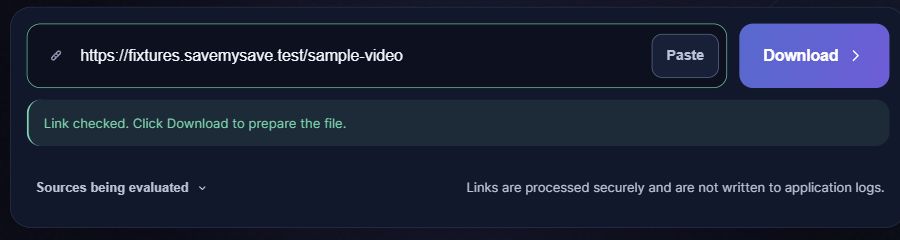
- Paste it above; checking starts automatically. A supported short link is resolved before the available video formats are shown.
- Review the available video result and download. If the post is a photo slideshow, use another supported video instead.
Supported link shapes
URL patterns, not playable test videos. Replace the placeholders with your own identifiers.
https://www.tiktok.com/@creator/video/VIDEO_IDhttps://vm.tiktok.com/SHARE_CODE/
Recognized does not mean unrestricted
A shared address may lead to a deleted post, a sign-in gate, a regional restriction or a photo post. The current video workflow does not promise a slideshow archive, universal availability, or removal of watermarks.
Where to get the video link
Use the sharing link for the individual video. A full @creator/video/ address or supported vm.tiktok.com or vt.tiktok.com link can be pasted as copied. A creator profile is not the video itself.
Supported video links
- Full public @creator/video/ links
- Supported vm.tiktok.com and vt.tiktok.com share links
- A single accessible video stream
Not supported in this workflow
- Photo slideshows and profile archives
- Private, removed or access-restricted videos
- Guaranteed removal of the TikTok logo or watermark
What happens after you paste a link
If the link does not work
- If a short link fails, copy the full link to the same public video and check it once.
- A video may retain a watermark from its source. SaveMySave does not promise to remove it or provide a watermark-free result for every link.
Save the file on your phone or computer
Choose a quality if a choice is offered, then select Save video. When the file is ready, your browser will attempt to start the download automatically. If it does not start, select Download file. Check your browser’s downloads list for progress. On iPhone, a Safari download is usually found in Files rather than automatically added to Photos. On Android, check Downloads or your file manager. Your browser settings can change the destination.
Questions about TikTok
Can I paste a short share link?
Supported TikTok share hosts are resolved with a limit on redirects and destination checks. A link that redirects outside the supported path is not treated as a video.
Does this save every photo post?
No. This is the video workflow; a photo/slideshow post is reported separately instead of pretending it is a downloadable MP4.
Is the result always watermark-free?
No watermark-removal guarantee is made. The result depends on the accessible source stream.
Why is a download unavailable?
The post or source can be inaccessible, restricted or temporarily failing. The displayed status helps distinguish a bad link from a failed transfer; repeated retries cannot grant access.