How to download an Instagram video from a post link
- Copy the shared public Reel or supported video-post link, rather than a profile page.
- Paste the complete link as copied; checking starts automatically. You do not need to remove its sharing parameters by hand.
- Check the returned video formats, then download the permitted video. If the source requires a login, stop and use an accessible link.
Supported link shapes
URL patterns, not playable test videos. Replace the placeholders with your own identifiers.
https://www.instagram.com/reel/POST_CODE/https://www.instagram.com/p/POST_CODE/
A post is not always a downloadable video
An Instagram post can contain a photo or several items. This workflow is for supported single-video results, not a photo carousel archive. A recognized Instagram address alone does not prove that a usable video stream is present.
Where to get the video link
Copy the sharing link for the individual Reel or video post. The profile’s address is not a Reel link. Keep the copied sharing parameters; SaveMySave normalizes recognized post addresses.
Supported video links
- Accessible public /reel/ links
- Supported public /p/ posts with a single video
- The video format exposed by the post, not a guaranteed choice of every codec
Not supported in this workflow
- Private or sign-in-only posts
- Photo carousels and photo-only posts
- Profile archives and Stories are not offered by this workflow
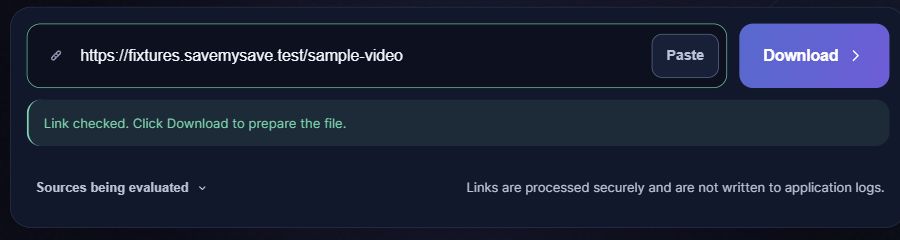
What happens after you paste a link
If the link does not work
- If you copied a profile, copy the link to the individual Reel instead.
- If the post is public but the source cannot supply a stream, wait and retry once. Do not submit Instagram passwords or account cookies.
Save the file on your phone or computer
Choose a quality if a choice is offered, then select Save video. When the file is ready, your browser will attempt to start the download automatically. If it does not start, select Download file. Check your browser’s downloads list for progress. On iPhone, a Safari download is usually found in Files rather than automatically added to Photos. On Android, check Downloads or your file manager. Your browser settings can change the destination.
Questions about Instagram
Can I save private Reels?
No. The service does not sign in to Instagram or use your account cookies to reach private material.
Should I remove sharing parameters?
The adapter normalizes recognized post URLs. You can paste the shared link as copied; do not replace the post identifier.
Why is VP9 not offered?
Available choices come from that particular source. An MP4 video exposed by Instagram may only have a compatible H.264 option.
Why did the same link work earlier?
Posts may be removed or require a login later; upstream access can also fail temporarily. Recheck an accessible public link rather than repeatedly resubmitting an inaccessible one.